Capstone Project
Design and build your own AI system from scratch — no scaffolding, just your architecture decisions.
What you'll learn
The Capstone Purpose
Picture building an AI agent that your clients can use in production tomorrow. That is what this module is for.
The capstone is the culmination of everything you have learned across 15 modules. It is not a tutorial — there are no step-by-step instructions. You are the architect. You choose the project, design the system, select the techniques, build the MVP, and deploy it. The result is a portfolio artifact — a deployed URL you can share with clients, hiring managers, or colleagues to demonstrate your AI engineering capability.
This is the portfolio artifact
After this module, you will have built six deployed applications throughout the course: the LLM Playground (Module 2), the RAG Customer Support Chatbot (Module 4), the Ask-the-Web Agent (Modules 6–9), the Deep Research System (Modules 10–12), the Multimodal Generation Agent (Modules 14–15), and this capstone. Each demonstrates a different facet of AI engineering. Together, they form a portfolio that shows range and depth.
No instructor, no scaffolding
Every prior module gave you structure: reading material, code examples, guided exercises, build steps. The capstone removes the training wheels. You design the architecture, choose the techniques, and solve the problems independently. This is the transition from learner to practitioner.
One constraint: use at least 3 of the 5 major technique areas
Your capstone must integrate at least three of the five major technique areas covered in this course:
- LLM Interaction — Direct Claude API calls, streaming, generation parameters (Part 1)
- RAG — Vector search, document ingestion, grounded generation (Part 2)
- Agents and Tools — Tool calling, agentic loops, multi-step orchestration (Part 3)
- Reasoning and Extended Thinking — Budget tokens, deep research, synthesis (Part 4)
- Multimodal — Image generation, vision analysis, multimodal conversations (Part 5)
Choosing Your Project
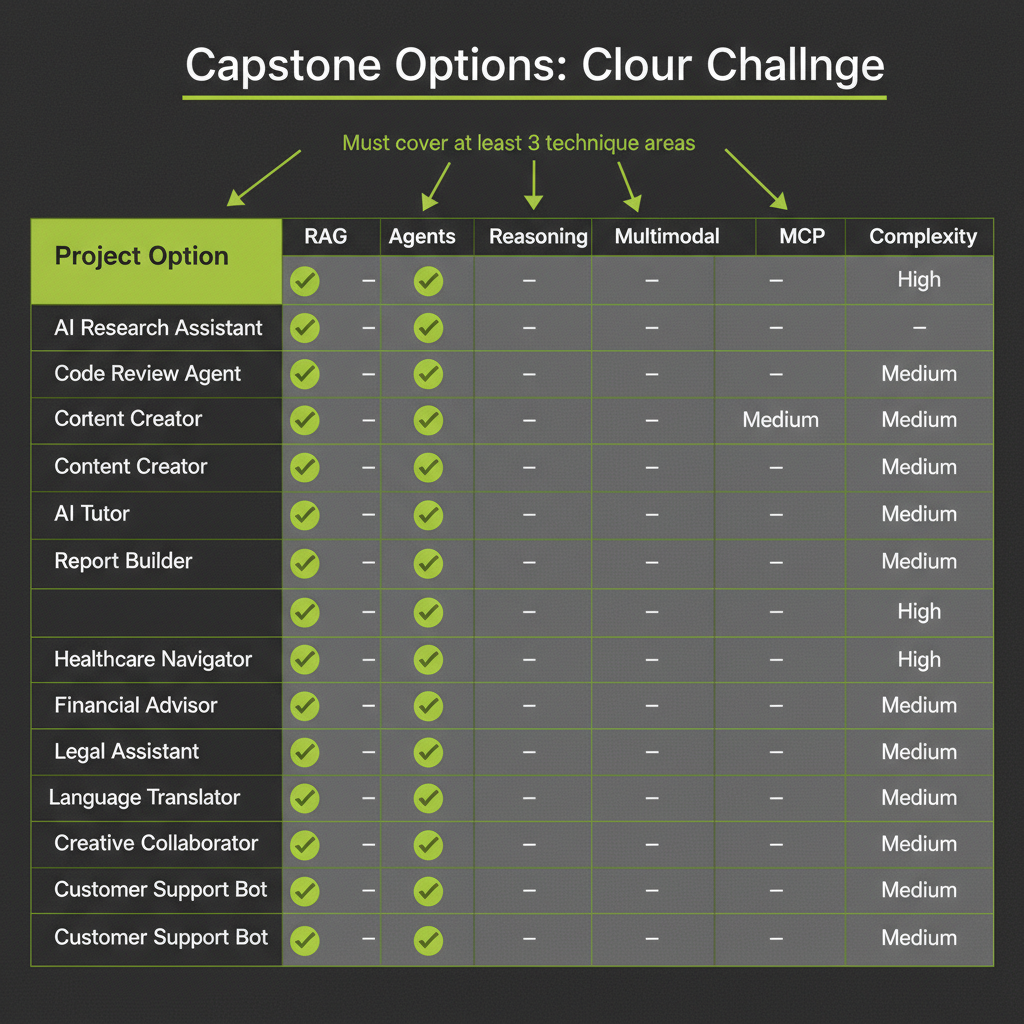
The best capstone is the one you are excited to explain. Pick something you would build for a real client. If you find yourself thinking "I would actually use this," you have found the right project.
Below are 11 capstone options with their technique coverage and complexity. You can also design your own project — the only requirement is using 3+ technique areas from the course.
Capstone Options
Option 1 — AI Research Assistant
Build a research assistant that ingests documents (PDFs, web pages, notes), indexes them with RAG, and answers complex research questions using extended thinking for synthesis. The assistant should cite its sources, handle multi-hop questions that require combining information from multiple documents, and produce structured research reports.
Option 2 — Code Review Agent
Create an agent that reviews code for quality, security, and best practices. Give it tools to read files, search codebases, and check documentation. Use extended thinking to produce thorough reviews with reasoning chains. The agent should categorize issues by severity and provide actionable fix suggestions.
Option 3 — Content Creator with Images
Build a content creation agent that writes blog posts, social media content, or newsletters with AI-generated illustrations. Use RAG to ground content in research, agents to orchestrate the writing and image generation workflow, and multimodal tools for the generate-analyze-refine image loop.
Option 4 — AI Tutor
Create an AI tutoring system for a specific subject. Ingest course materials with RAG. Build an agent that can explain concepts, answer questions, generate practice problems, and create visual aids using image generation. The tutor should adapt its explanations based on the student's questions.
Option 5 — Automated Report Builder
Build a system that takes a topic, researches it using the deep research pattern from Module 12, retrieves supporting data from ingested documents via RAG, generates charts or diagrams with the multimodal pipeline, and compiles everything into a structured report with citations and visualizations.
Option 6 — Meeting Analyzer
Create a tool that ingests meeting transcripts, extracts action items and decisions using agents with reasoning, and allows users to search past meetings via RAG. The system should track action item completion, identify recurring topics, and generate meeting summaries.
Option 7 — AI-Powered Knowledge Base
Build a knowledge base that ingests documentation, wikis, or help center articles. Users can ask natural language questions and get grounded, cited answers. Include an agent that can follow up, ask clarifying questions, and suggest related articles. Focus on retrieval quality and answer accuracy.
Option 8 — Personal AI Newsletter
Create an agent that curates content from ingested sources, writes newsletter sections in your voice, generates header images, and compiles everything into a formatted newsletter. Use RAG to maintain a library of past newsletters for consistent voice and topic tracking.
Option 9 — Recipe Generator with Food Images
Build a recipe application that generates recipes based on available ingredients, creates photorealistic food images for each dish, and maintains a searchable recipe collection via RAG. Users input what they have in their kitchen, and the system suggests meals with visual previews.
Option 10 — Interview Prep Coach
Create an interview preparation agent that ingests job descriptions and company information via RAG, generates practice questions using extended thinking for depth, conducts mock interview sessions as an agent, and provides detailed feedback on answers. The system should adapt difficulty based on the candidate's performance.
Option 11 — Custom Agent Harness (Claude Code SDK) ADVANCED
Build a custom agent harness using the Claude Code SDK. Create a domain-specific coding assistant, REPL agent, or developer tool that uses MCP for tool integration, extended thinking for complex reasoning, and custom tool definitions. This is the most technically demanding option — recommended only for learners who completed all modules and want to push beyond the course scope.
Option 11 uses the Claude Code SDK (claude_agent_sdk) to build a custom agent harness. This is the most advanced option in the course. The SDK enables patterns like custom REPL agents, developer tools with file system access, and MCP-connected assistants. Only attempt this if you have completed all prior modules and are comfortable with the agent and tool-calling patterns from Part 3. Important: The Claude Code SDK is under active development — check the Anthropic documentation for the latest API surface and installation instructions before starting.
Architecture Design Worksheet
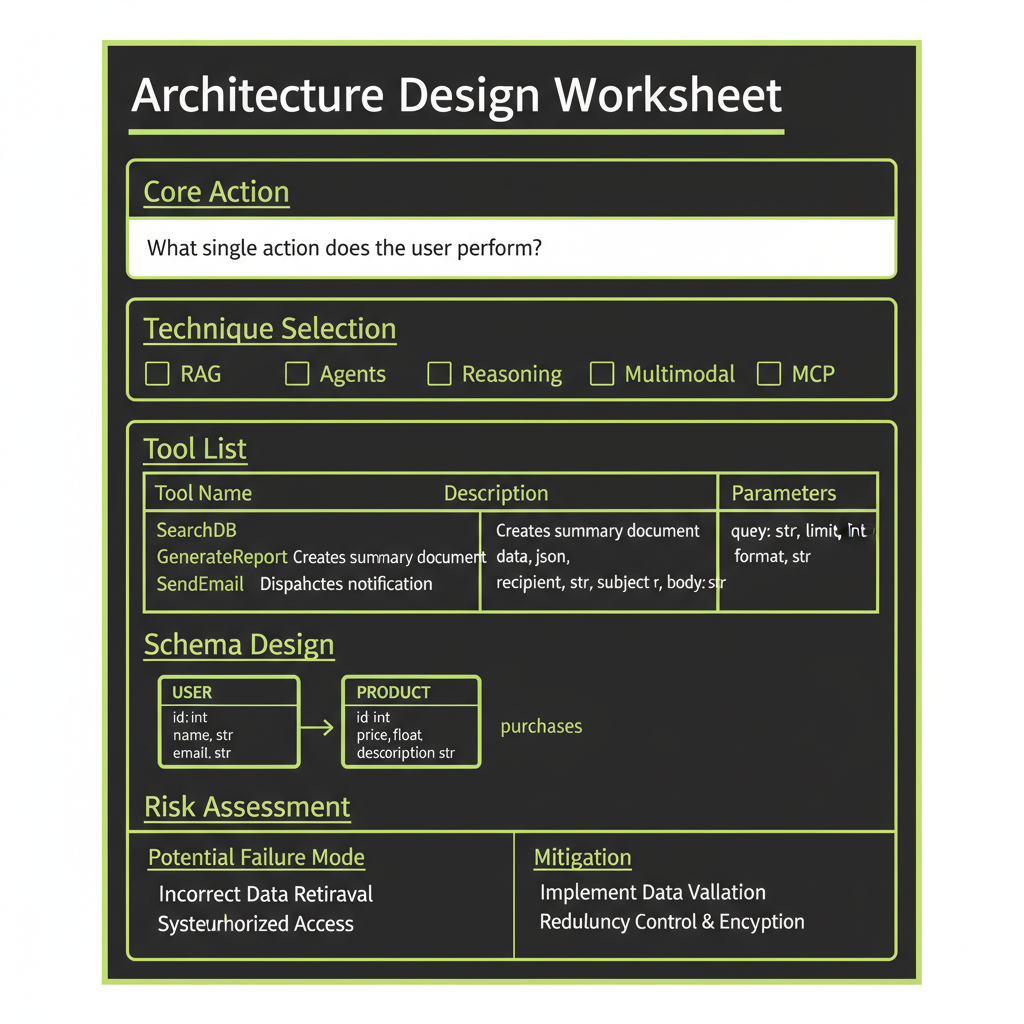
Before you write a single line of code, complete this architecture worksheet. The clarity of your design directly determines the speed of your build.
What is the core user action? (One sentence)
Define the single most important thing a user does with your application. "User uploads a meeting transcript and asks a question about it." "User describes a recipe and gets a visual preview." Keep it to one sentence — if you cannot, your scope may be too broad for an MVP.
What AI technique handles the core action?
Map your core action to the primary AI pattern: RAG (retrieval + generation), Agent (multi-step with tools), Reasoning (extended thinking for synthesis), or Multimodal (image generation + vision). Secondary techniques support the primary one.
What tools does the agent need?
If your project uses an agent, list every tool with its input and output schema. Be specific. "search_documents: input(query: string, limit: number) -> output(results: Array<{text, score}>)" is better than "a search tool."
What is the Convex schema?
Design your database tables and indexes before building. Most capstone projects need 3–5 tables. Think about what data you are storing (user inputs, AI outputs, file references) and what queries you need (by user, by date, by topic, vector search).
Is this a direct call, workflow, or agent?
Use the decision framework from Module 8. Direct calls for simple single-step operations. Workflows for multi-step processes that need durability. Agents for open-ended tasks where the model decides the next step.
What are the 3 biggest technical risks?
Identify where things might go wrong: API latency, cost overruns, data quality issues, complex state management, or integration challenges. For each risk, write a one-sentence mitigation plan.
Build Process
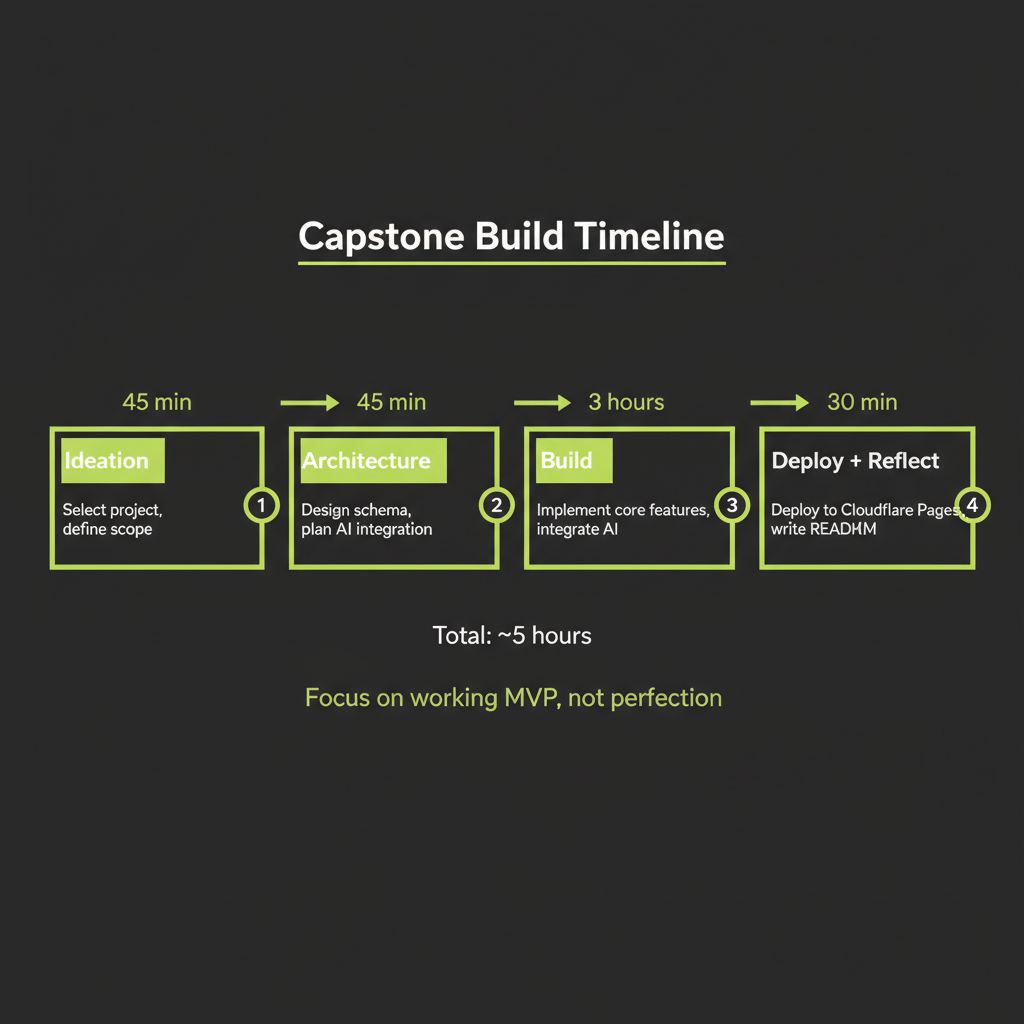
Phase 1 — Ideation (45 min)
Review the 11 options above. Brainstorm variations. Pick the project that excites you most — the one you would actually build for a real client or for yourself. Write a one-paragraph proposal: what it does, who it is for, and which 3+ techniques it uses.
Phase 2 — Architecture (45 min)
Complete the architecture design worksheet. Design your Convex schema. List your React components. Define your AI integration points. Sketch the data flow from user action to AI response to UI display. This phase is where most build-time savings come from — a clear architecture prevents false starts during implementation.
Phase 3 — Build (3 hours)
Implement your MVP. Follow the pattern established in prior modules: scaffold the project, build the Convex backend (schema, queries, mutations, actions), implement AI features (agent setup, tools, RAG if applicable), build the React frontend, and connect everything. Focus on the core loop — get the primary user action working end-to-end before adding polish.
Phase 4 — Deploy + Reflect (30 min)
Deploy to Cloudflare Pages. Write a project README that documents:
- What the application does (one paragraph)
- Architecture overview (Convex schema, component tree, AI integration points)
- Which techniques from the course you used and why
- Setup and run instructions
- What you would improve with more time
During the deploy phase, consider adding Sentry error tracking to your capstone. This addresses Coverage Gap #2 (production observability) and is a recommended step for any production AI application. Sentry captures errors, performance issues, and AI-specific telemetry that help you debug production issues. Even a basic Sentry integration demonstrates production-readiness in your portfolio.
Claude Code SDK Option (Advanced — Option 11)
What the Claude Code SDK enables
The Claude Code SDK provides a framework for building custom agent harnesses — applications where Claude operates as an autonomous agent with access to tools, file systems, and external services via MCP. This is the same foundation that powers Claude Code itself.
When to use the SDK
The SDK is appropriate when you are building developer tools, AI coding assistants, custom REPL environments, or any application where the agent needs deep integration with system-level tools. It goes beyond the @convex-dev/agent pattern by providing lower-level control over the agent loop, tool execution, and session management.
This is the most advanced option
Option 11 is recommended only for learners who have completed all 15 prior modules, are comfortable with the agent and tool-calling patterns from Part 3, and want to explore the frontier of AI agent development. Expect to spend 5+ hours on this option. The payoff is a portfolio piece that demonstrates deep technical capability.
Complete the architecture design worksheet for your chosen project before writing a single line of code. This exercise ensures you have a clear plan before you start building.
- Select your capstone project from the 11 options above (or design your own).
- Write the core user action in one sentence.
- List the techniques you will use (minimum 3) and explain how each contributes to the project.
- Design the Convex schema with at least 3 tables, including field types and indexes.
- Define all tools with input/output schemas if your project uses an agent.
- Identify the 3 biggest technical risks and write a one-sentence mitigation for each.