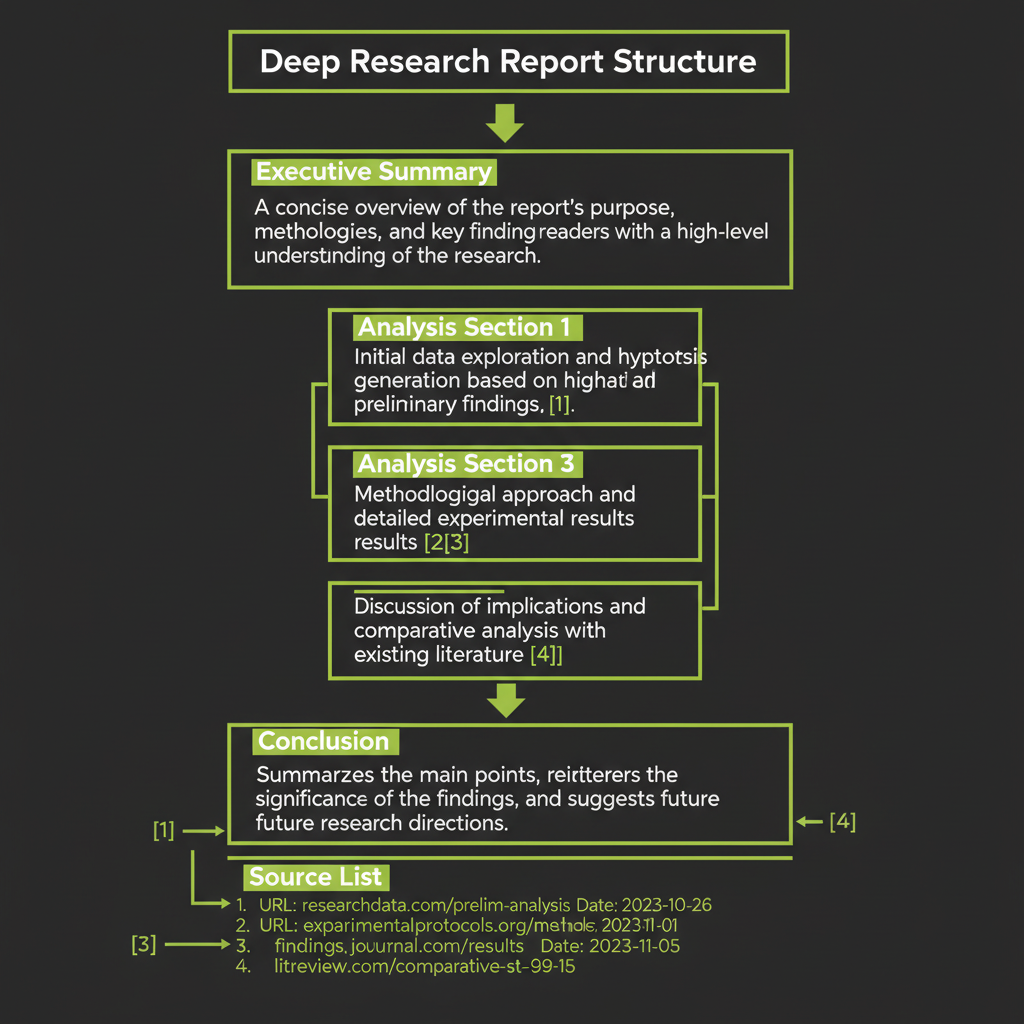
Deep Research Systems
Build a system that researches 10 sources in parallel and synthesizes them into a structured report.
What you'll learn
The Deep Research Problem
A single LLM call fails at deep research. Ask Claude to write a comprehensive report on a complex topic and you get a plausible-sounding essay — built from training data, with no citations, no verification, and a tendency to hallucinate details. The model is confident but uninformed about anything after its training cutoff.
A deep research system takes a complex question — "What are the security implications of using WebAssembly for server-side computation?" — and produces a structured, cited report. Not a single LLM response. A researched report backed by real sources, with contradictions surfaced and evidence weighed.
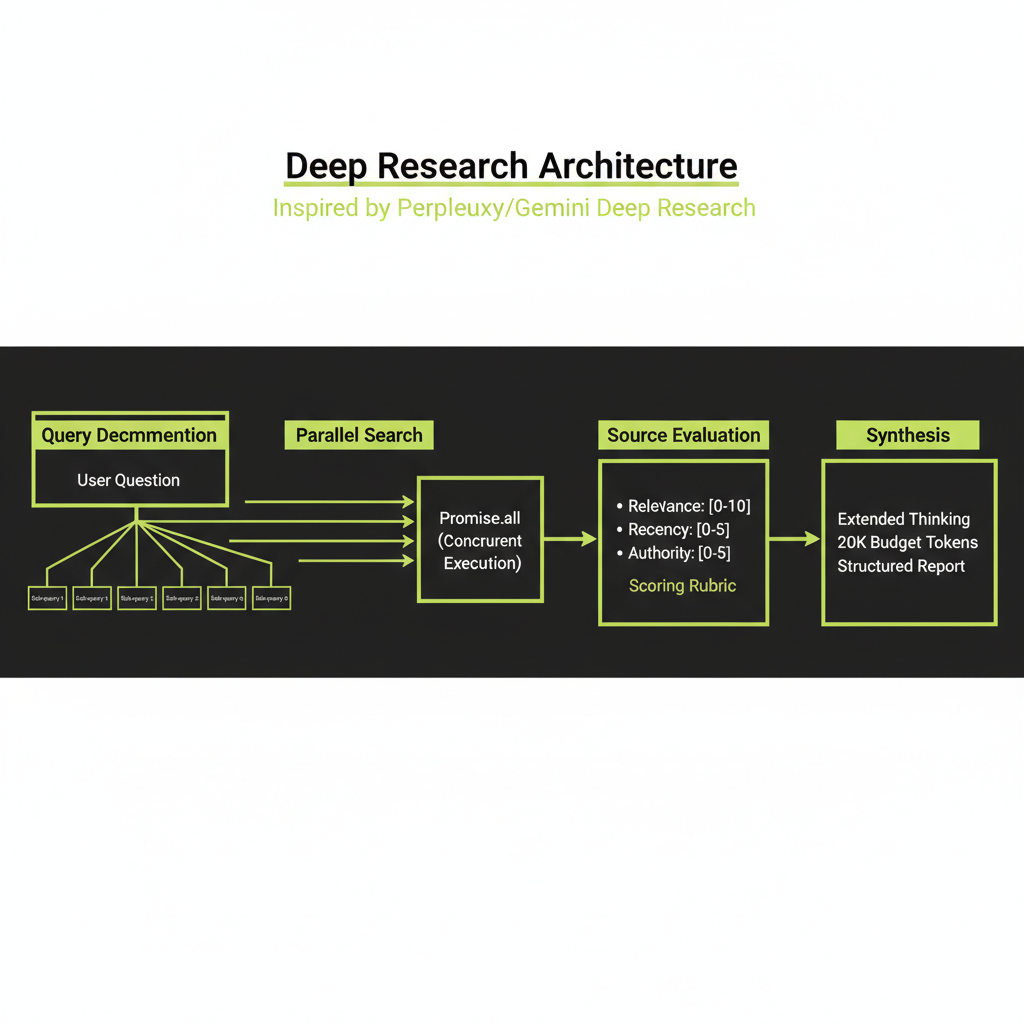
The architecture is a four-stage pipeline:
Query → Plan → Parallel Search → Evaluate Sources → Synthesize → ReportEach step can fail, take a long time, or need retries. This is why you need durable execution — not just async functions.
Stage 1 — Query Understanding and Planning
Decompose the user's research question into sub-questions
The first step is to break a broad research question into targeted sub-queries. If a user asks "Is Rust faster than Go?", the system decomposes this into facets:
- Benchmark comparisons (CPU, memory, I/O)
- Real-world application performance data
- Compilation time and developer productivity tradeoffs
- Expert opinions and community consensus
Each sub-query targets a different facet of the original question. The decomposition step uses Claude to identify temporal, geographic, technical, and comparative dimensions. The output is a list of 3–7 targeted sub-queries for parallel execution.
Why decomposition matters
A single broad search query returns surface-level results. Multiple targeted queries uncover depth. This is the same principle behind how human researchers work — you do not type your thesis question into Google and expect a complete answer. You break it into pieces and research each piece.
Stage 2 — Parallel Search Execution
With a plan in hand, the system fires multiple search queries simultaneously. Each query targets a different facet, and results are collected independently:
// Each search runs as an independent Convex action
const searchResults = await Promise.all(
  plan.queries.map((q: string) =>
    step.runAction(internal.research.executeSearch, {
      query: q,
      jobId,
    })
  )
);
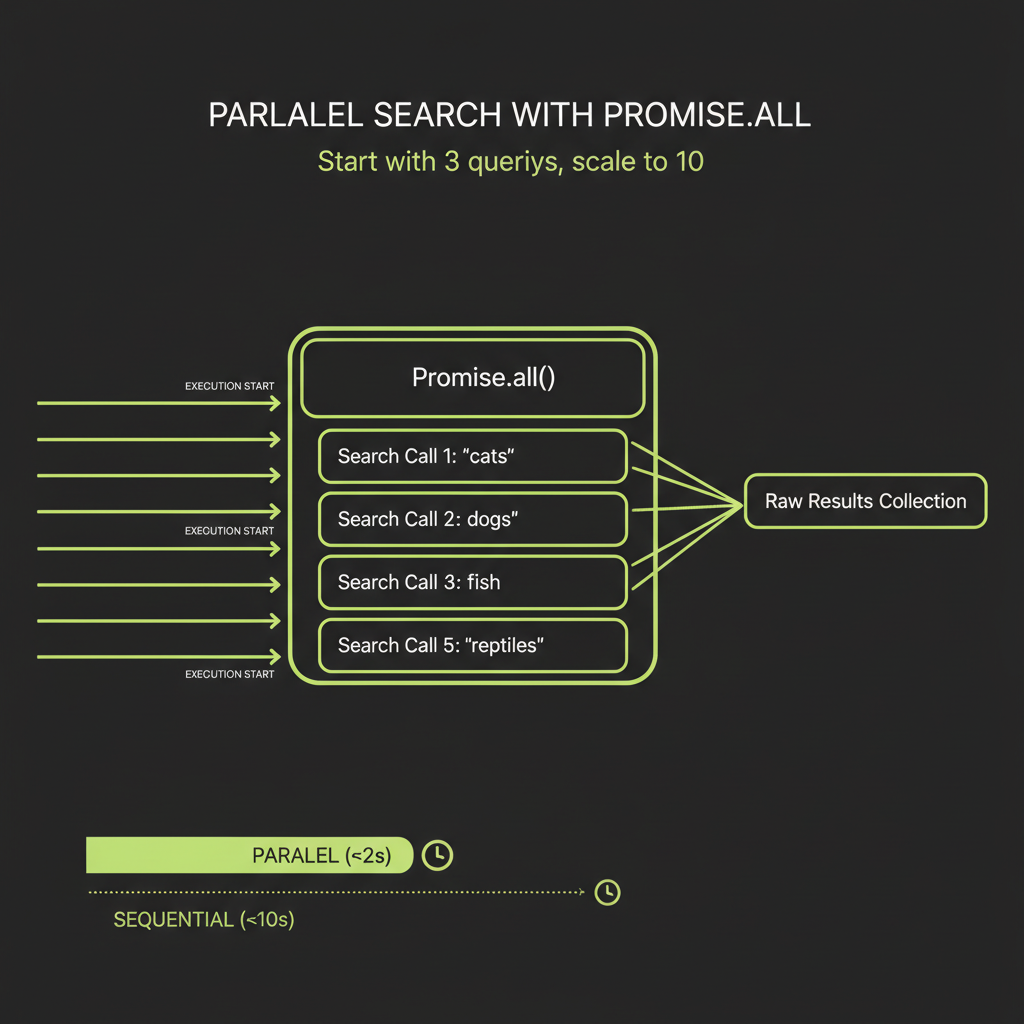
Each search task collects raw results: URLs, titles, snippets, and dates. Because the searches run in parallel via Promise.all, the total search time is determined by the slowest query, not the sum of all queries.
Start with 3 parallel queries before scaling to 10. Debug your search integration, source evaluation, and synthesis pipeline with a manageable number of results. Adding more parallel queries is trivial once the pipeline works end-to-end.
Stage 3 — Source Evaluation
Not all search results are useful. The system reads and evaluates each source on three dimensions:
- Relevance scoring: Does the source actually answer the sub-question? A source about "Rust programming language" is not relevant to a query about "Rust the video game."
- Recency scoring: How current is the source? A 2018 benchmark comparison is less useful than a 2025 one. Recency matters differently by domain — a math proof from 1960 is still valid, but a framework comparison from 2020 may be outdated.
- Authority scoring: Is this a primary source (official documentation, peer-reviewed paper) or a secondary source (blog post, tutorial)? Primary sources get higher weight.
Surfacing contradictions
The evaluation step also checks whether sources contradict each other. When two authoritative sources disagree, that contradiction is surfaced explicitly for the synthesis step. This is critical — ignoring contradictions produces a report that looks confident but misrepresents the state of knowledge.
Stage 4 — Synthesis with Extended Thinking
The synthesis step is the most important part of the system and the reason this module follows Modules 10 and 11. It takes evaluated sources and produces a coherent report — exactly the kind of task where extended thinking pays for itself.
const response = await anthropic.messages.create({
  model: "claude-sonnet-4-6",
  max_tokens: 32000,
  thinking: {
    type: "enabled",
    budget_tokens: 15000,
  },
  system: `You are a research analyst producing a structured
    report. Cite sources using [Source N] notation.
    Resolve contradictions explicitly.
    Flag areas where evidence is thin.`,
  messages: [{
    role: "user",
    content:
      `Research question: ${query}\n\n` +
      `Sources:\n${sourceSummary}\n\n` +
      `Produce a structured report with: title, executive ` +
      `summary (3-4 sentences), 3-5 sections with analysis, ` +
      `and a conclusion. Cite every claim.`,
  }],
});
Extended thinking gives the model room to weigh contradictory evidence, notice gaps in the source material, and structure its analysis before committing to a narrative. Without thinking, the model tends to give disproportionate weight to whichever source appears first in the context. With thinking, it produces a more balanced synthesis.
Output structure
The final report is a structured document, not free-form text:
interface ResearchReport {
  title: string;
  summary: string;         // 3-4 sentence executive summary
  sections: {
    heading: string;
    content: string;       // Markdown with [Source N] citations
    sourceIds: string[];   // References to source documents
  }[];
  sources: {
    id: string;
    title: string;
    url: string;
    relevanceScore: number;
  }[];
  metadata: {
    query: string;
    totalSources: number;
    sourcesUsed: number;
    thinkingTokens: number;
    totalTokens: number;
    durationMs: number;
  };
}
Durable Workflows with @convex-dev/workflow
The problem with naive async orchestration
A naive implementation looks clean but is fragile in production:
// DON'T DO THIS -- fragile, no recovery
async function research(query: string) {
  const plan = await generatePlan(query);        // 10s
  const results = await searchAll(plan.queries);  // 30s
  const evaluated = await evaluateSources(results); // 20s
  const report = await synthesize(evaluated);     // 60s
  return report;
}
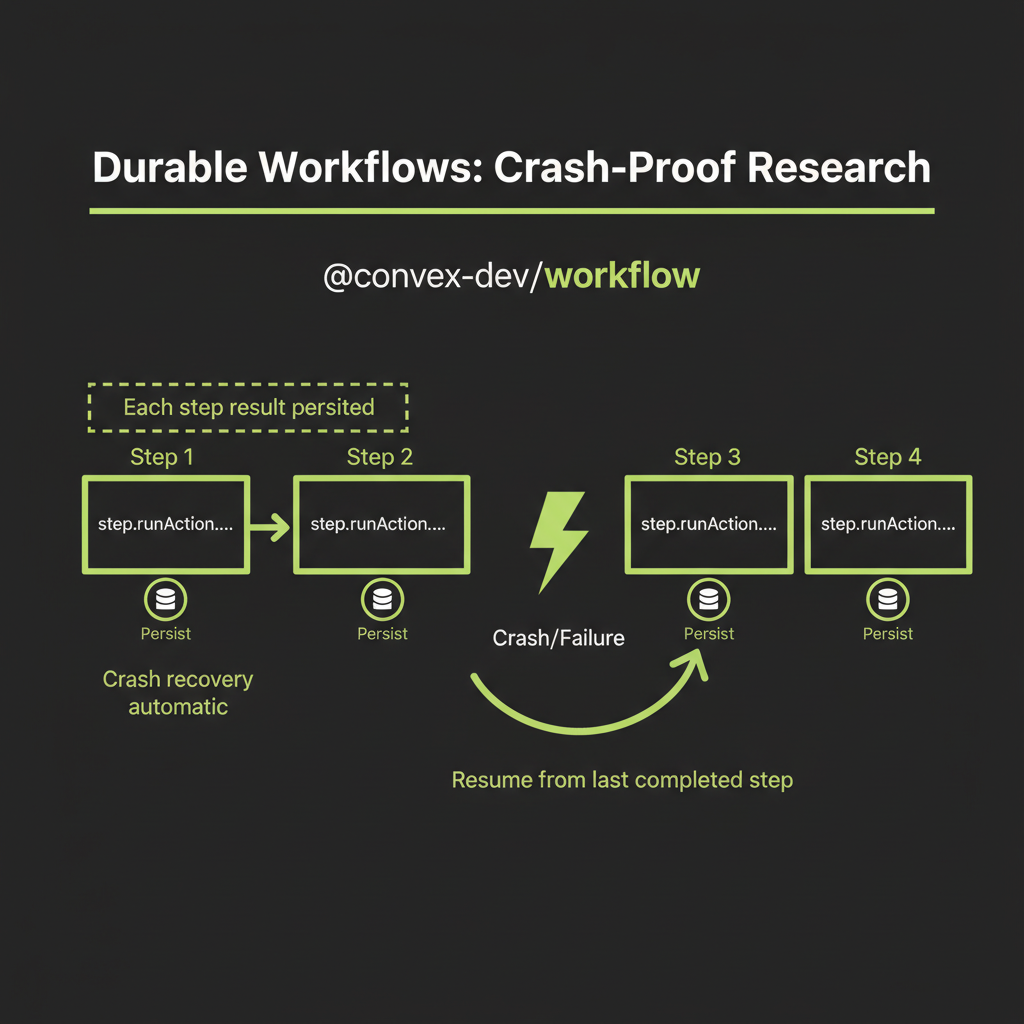
If the synthesis step fails after 60 seconds of search and evaluation, you lose everything. There is no visibility into progress — the user stares at a spinner for 2 minutes. A single network error kills the whole pipeline. And holding all results in a single function's memory does not scale.
WorkflowManager: persistent step execution
Durable execution with @convex-dev/workflow solves each of these problems. Each step's result is persisted to the Convex database. If the process crashes, it resumes from the last completed step — no re-searching:
import { WorkflowManager } from "@convex-dev/workflow";
import { components } from "./_generated/api";

const workflow = new WorkflowManager(components.workflow);

export const researchWorkflow = workflow.define({
  args: {
    query: v.string(),
    jobId: v.id("researchJobs"),
  },
  handler: async (step, { query, jobId }) => {
    // Step 1: Generate plan (persisted automatically)
    const plan = await step.runAction(
      internal.research.generatePlan,
      { query, jobId }
    );

    // Step 2: Parallel search (each result persisted)
    const searchResults = await Promise.all(
      plan.queries.map((q: string) =>
        step.runAction(internal.research.executeSearch, {
          query: q,
          jobId,
        })
      )
    );

    // Step 3: Evaluate and filter sources
    const evaluatedSources = await step.runAction(
      internal.research.evaluateSources,
      { sources: searchResults.flat(), jobId }
    );

    // Step 4: Synthesize with extended thinking
    const report = await step.runAction(
      internal.research.synthesize,
      { query, sources: evaluatedSources, jobId }
    );

    return report;
  },
});
Job status updates for real-time UI
Each step updates the job status in the database, enabling a React UI to show live progress. The user sees "Planning...", then "Searching (3/5 queries complete)...", then "Evaluating sources...", then "Synthesizing report..." — instead of an opaque spinner.
Test the workflow crash recovery by intentionally killing the process mid-run. Stop your Convex dev server during the search phase, restart it, and verify that the workflow resumes from where it left off without re-executing completed steps.
Build Project — Deep Research System
Convex schema
import { defineSchema, defineTable } from "convex/server";
import { v } from "convex/values";

export default defineSchema({
  researchJobs: defineTable({
    query: v.string(),
    status: v.union(
      v.literal("planning"),
      v.literal("searching"),
      v.literal("evaluating"),
      v.literal("synthesizing"),
      v.literal("complete"),
      v.literal("failed")
    ),
    plan: v.optional(v.object({
      queries: v.array(v.string()),
      reasoning: v.string(),
    })),
    reportId: v.optional(v.id("reports")),
    error: v.optional(v.string()),
  }).index("by_status", ["status"]),

  searchTasks: defineTable({
    jobId: v.id("researchJobs"),
    query: v.string(),
    status: v.union(
      v.literal("pending"),
      v.literal("running"),
      v.literal("complete"),
      v.literal("failed")
    ),
    results: v.optional(v.array(v.object({
      url: v.string(),
      title: v.string(),
      snippet: v.string(),
      content: v.optional(v.string()),
    }))),
  }).index("by_job", ["jobId"]),

  sources: defineTable({
    jobId: v.id("researchJobs"),
    url: v.string(),
    title: v.string(),
    content: v.string(),
    relevanceScore: v.number(),
    credibilityScore: v.number(),
    usedInReport: v.boolean(),
  }).index("by_job", ["jobId"])
    .index("by_job_and_relevance", ["jobId", "relevanceScore"]),

  reports: defineTable({
    jobId: v.id("researchJobs"),
    title: v.string(),
    summary: v.string(),
    sections: v.array(v.object({
      heading: v.string(),
      content: v.string(),
      sourceIds: v.array(v.id("sources")),
    })),
    thinkingTrace: v.optional(v.string()),
    tokenUsage: v.object({
      thinkingTokens: v.number(),
      outputTokens: v.number(),
      totalInputTokens: v.number(),
    }),
  }).index("by_job", ["jobId"]),
});
Parallel search via Convex actions
Each search runs as an independent Convex action that creates a task record, executes the search, and updates the record on completion or failure:
export const executeSearch = internalAction({
  args: {
    query: v.string(),
    jobId: v.id("researchJobs"),
  },
  handler: async (ctx, { query, jobId }) => {
    const taskId = await ctx.runMutation(
      internal.searchTasks.create,
      { jobId, query, status: "running" }
    );

    try {
      // Use your preferred search API
      // (Exa, Tavily, Serper, etc.)
      const results = await searchWeb(query);

      await ctx.runMutation(internal.searchTasks.update, {
        taskId,
        status: "complete",
        results,
      });

      return results;
    } catch (error) {
      await ctx.runMutation(internal.searchTasks.update, {
        taskId,
        status: "failed",
      });
      throw error;
    }
  },
});
Because the workflow calls Promise.all on the search steps, Convex runs them in parallel automatically. Each search task is an independent action that can retry independently.
React UI: research query input and live progress
The React UI has three states: (1) a query input where the user types their research question, (2) a live progress display showing each pipeline stage with status updates as search tasks complete, and (3) the final report display with clickable citations that link to source documents.
Because each step writes to the Convex database, the UI can use reactive queries (useQuery) to update automatically as the research progresses. No polling required — Convex pushes updates to the client in real time.
Production observability (logging research jobs to Sentry, tracking error rates, monitoring synthesis quality) is a recommended extension for this project. It is not covered in this module but would be the natural next step for a production deployment.